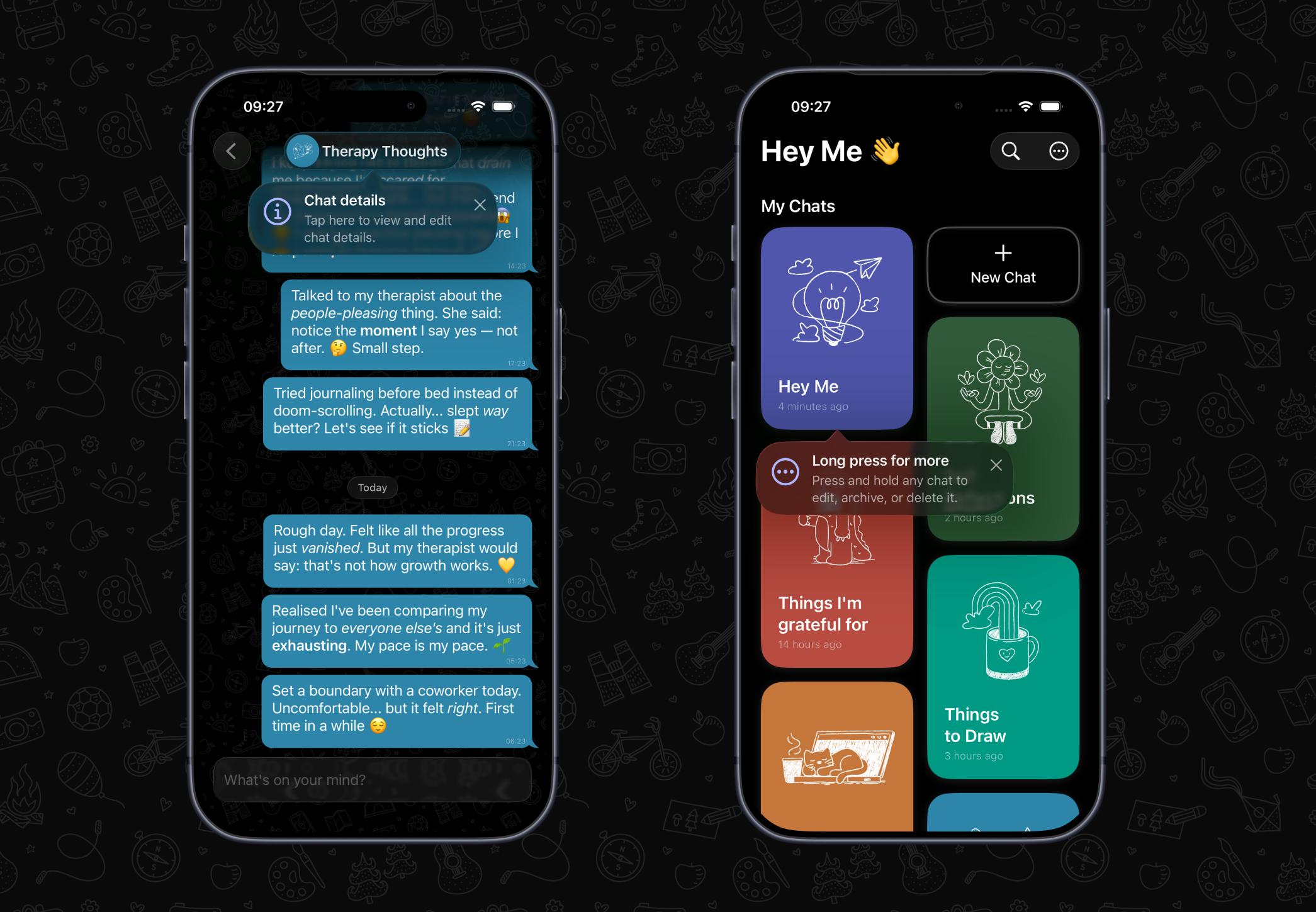
Hey Me 1.6 is about helping your thoughts turn into action, and making them easier to find again later.
Plenty of the notes we send ourselves are really to-do lists in disguise. Groceries, packing lists, things to sort before Friday. Until now they lived in Hey Me as plain messages. This update gives them a proper home and rebuilds Search so everything is easier to find.
Here's what's new:
☑️ Tasks
Hey Me now handles your to-dos too!
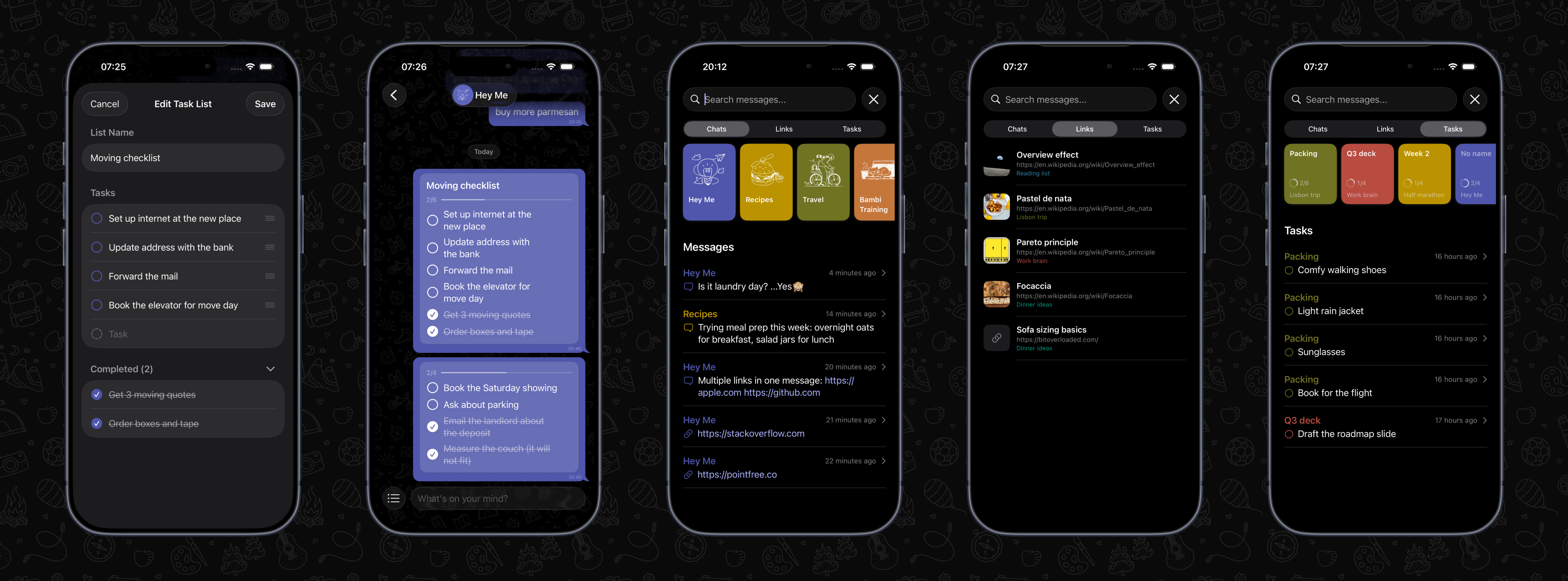
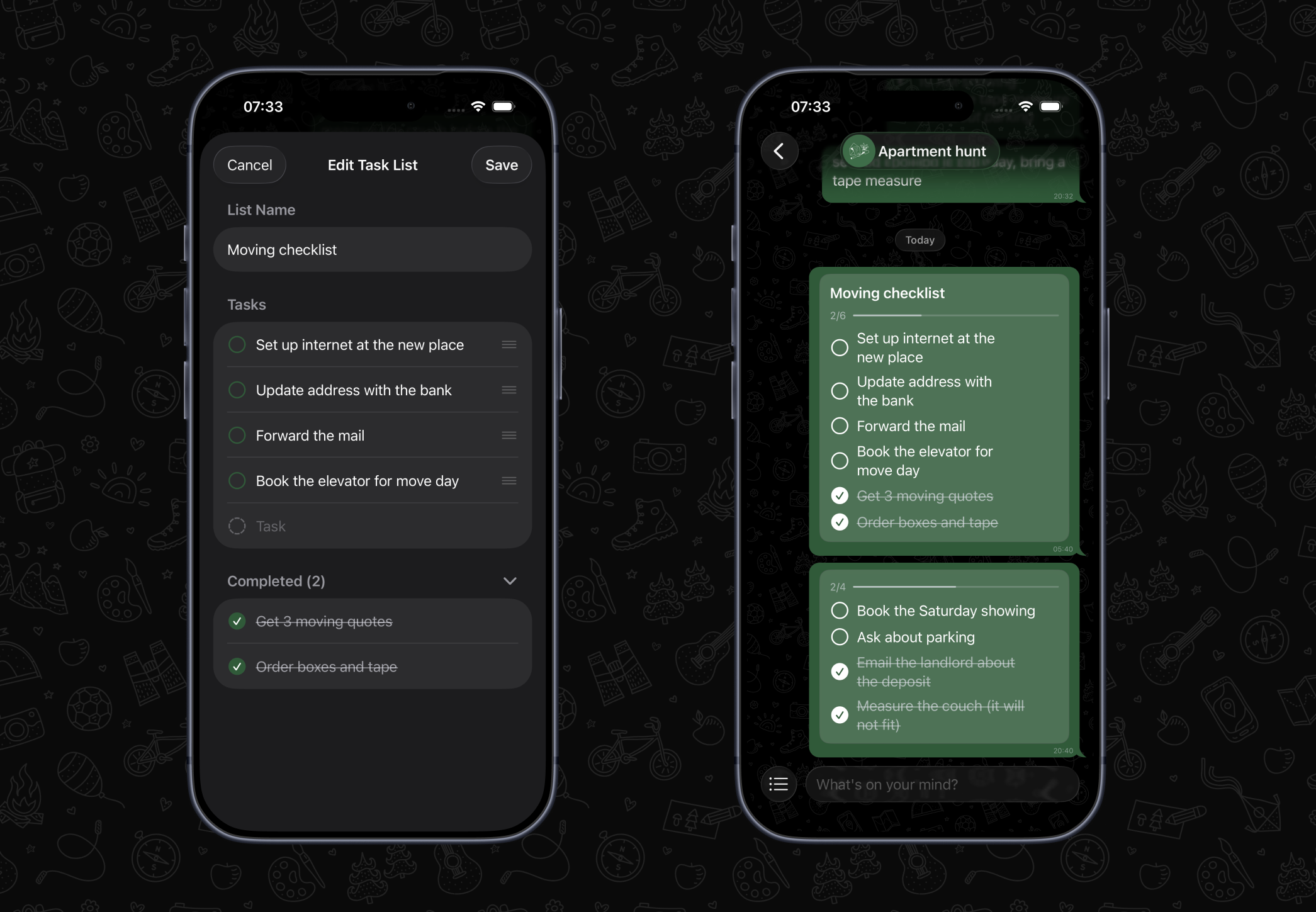
Tap the new list button next to the text box to turn a thought into a task list. Give it a name if you like, add your tasks, and save. The list shows in the chat it belongs to, next to the rest of your thoughts on that topic.
Check tasks off straight from the chat. Completed tasks move to the bottom, so what's left to do stays at the top. Long press a list any time to add, edit, reorder or remove tasks.
Create, edit and check off tasks
🔍 New Search
Search has been rebuilt from the ground up.
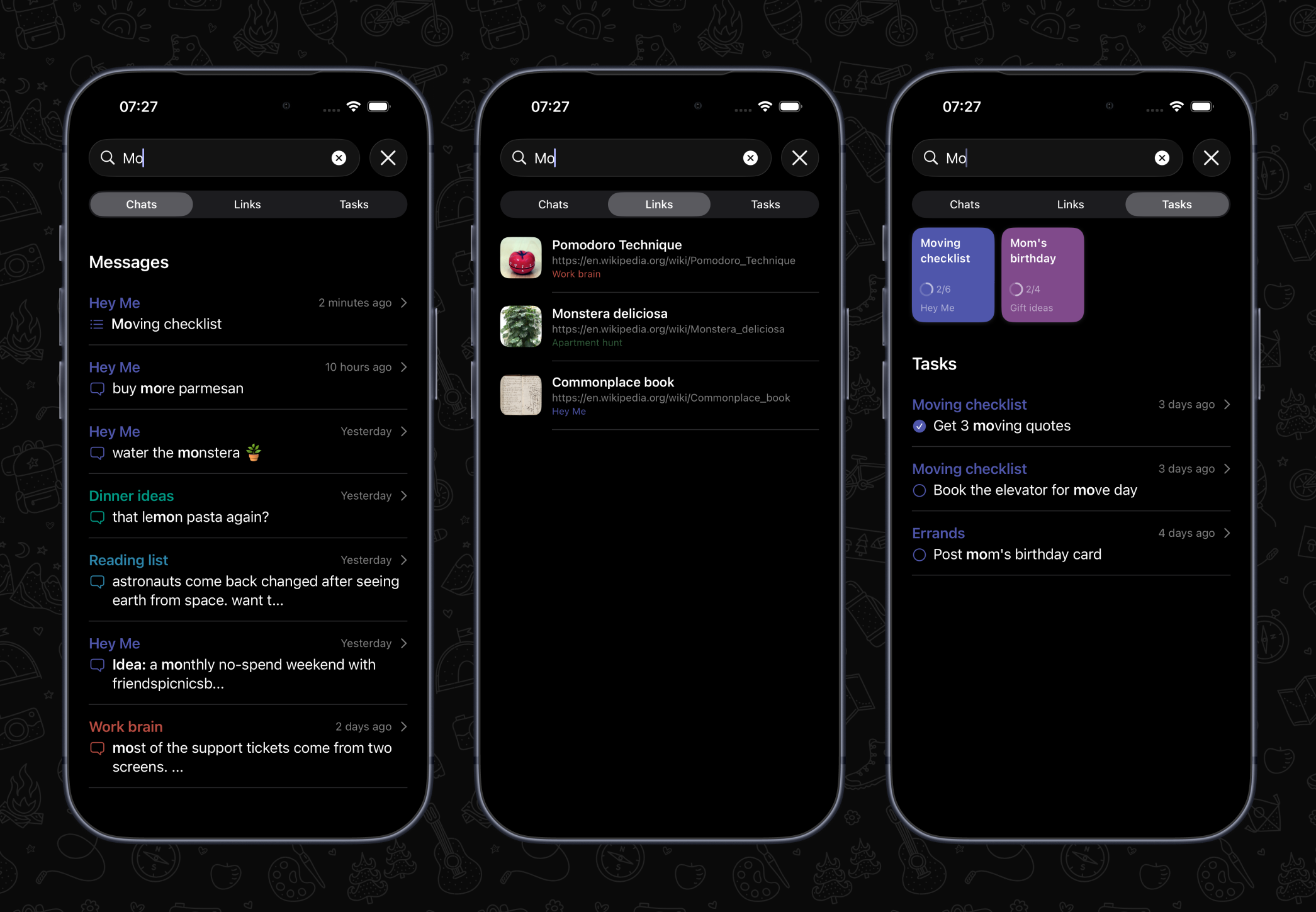
You can now switch between Chats, Links and Tasks to narrow down what you're looking for. That could be a message from weeks ago, a link you saved and forgot about, or a single task buried in a list. Results update as you type.
Each tab is useful before you type anything, too. Chats lists all your chats, Links shows your recent links, and Tasks shows recent lists and anything still open. Tap a result to go straight to it.
Find anything in seconds
✨ One Simple Subscription
Hey Me is moving to one simple subscription that includes every feature: unlimited chats, iCloud sync, Tasks, and everything we add next.
If you already bought features individually, thank you 🫶. You were here early, and what you bought stays yours forever. There's also a special thank-you offer waiting for you in the app.
You can see plans, manage your subscription or restore purchases any time from Settings.
We're working hard to make Hey Me the go-to place for the notes, links, reminders and now to-dos you don't want to lose. Keep an eye out for more updates soon, and vote for your favorite upcoming features on the roadmap.
Hey Me 1.5 is focused on making the everyday chat experience feel smoother, roomier, and easier to manage.
Hey Me has always been built around a simple idea: your thoughts should have somewhere quick to land. A reminder, a link, a plan, a tiny note to future-you, a half-formed idea you are not ready to lose. This update keeps that same quick-capture feeling, but gives the chat experience a stronger foundation and a few new tools for keeping things organized.
🏗️ A Better Foundation
This release is not just a collection of visible features. It also lays groundwork for a better chat experience going forward.
Smoother chats, multi-select, expandable writing, better gestures, helpful tips, sound controls, and ongoing organization improvements all point in the same direction: making Hey Me feel fast, focused, and comfortable whether you are saving one quick thought or sorting through a whole collection of them.
Some notable changes:
🛝 Smoother Chats
The chat view has been rebuilt to feel better in daily use.
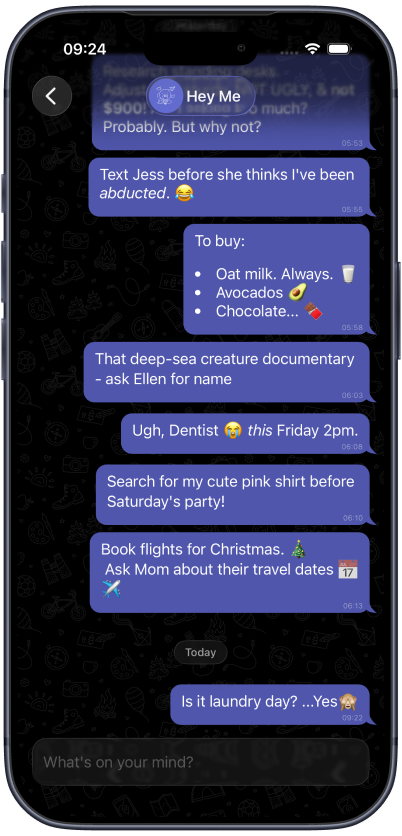
Scrolling is steadier, the text box feels more polished, and the overall chat experience is more responsive when you are moving between reading and writing. This is the kind of update that should mostly get out of your way: chats feel calmer, messages feel easier to work with, and writing something down stays fast.
There are also smaller refinements throughout the chat flow, including better loading behavior while your chats are getting ready and more consistent interactions when opening, editing, moving, or archiving messages.
The new, but familiar chat
🧮 Multi-Select Messages
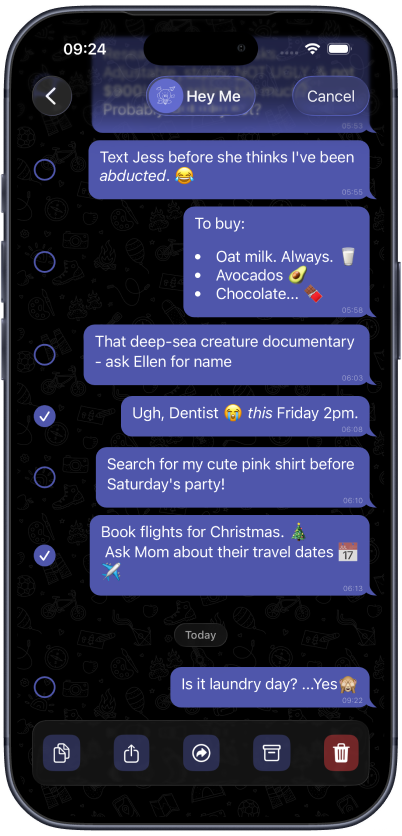
You can now select multiple messages and act on them together.
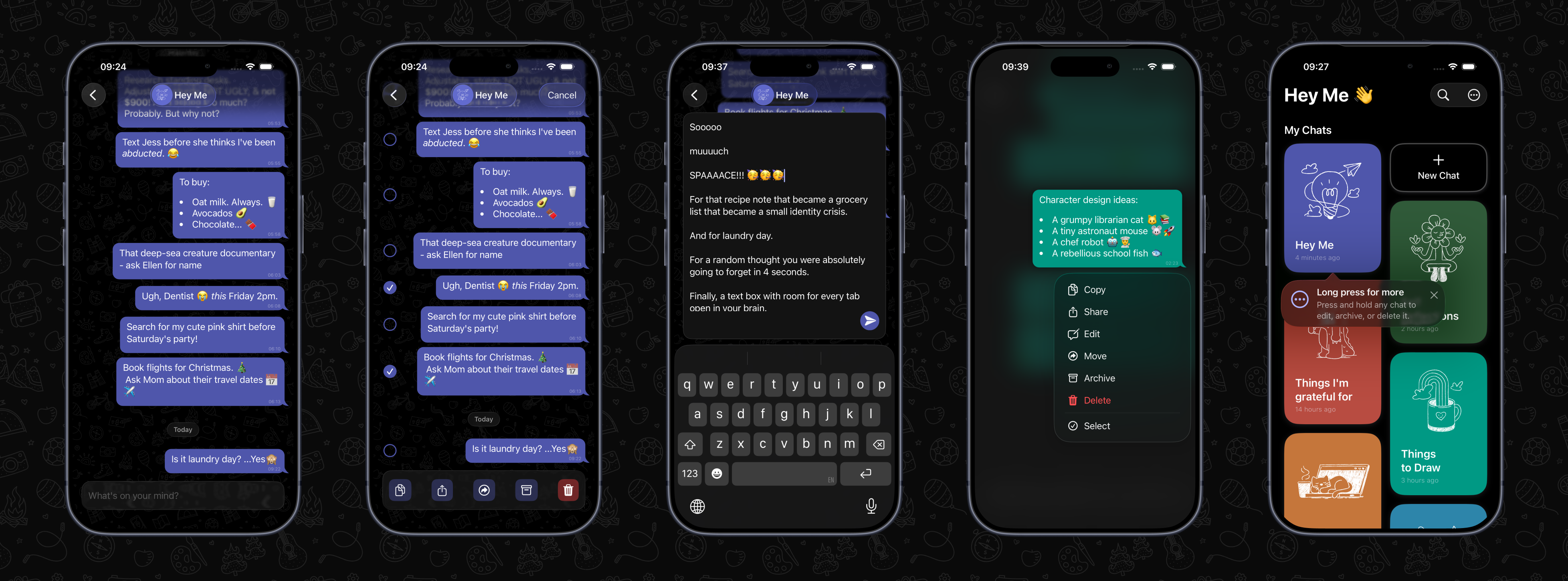
This makes it much easier to tidy up a busy chat or move a group of related thoughts somewhere better. Select a few messages, then copy, share, move, archive, or delete them in one go.
It is especially useful when a quick-capture chat starts turning into a real project. A few scattered notes can now be gathered up and moved into the right place without handling each message one at a time.
Multi-Select in action
👆 Swipe and Long-Press Actions
Message actions are easier to reach now.
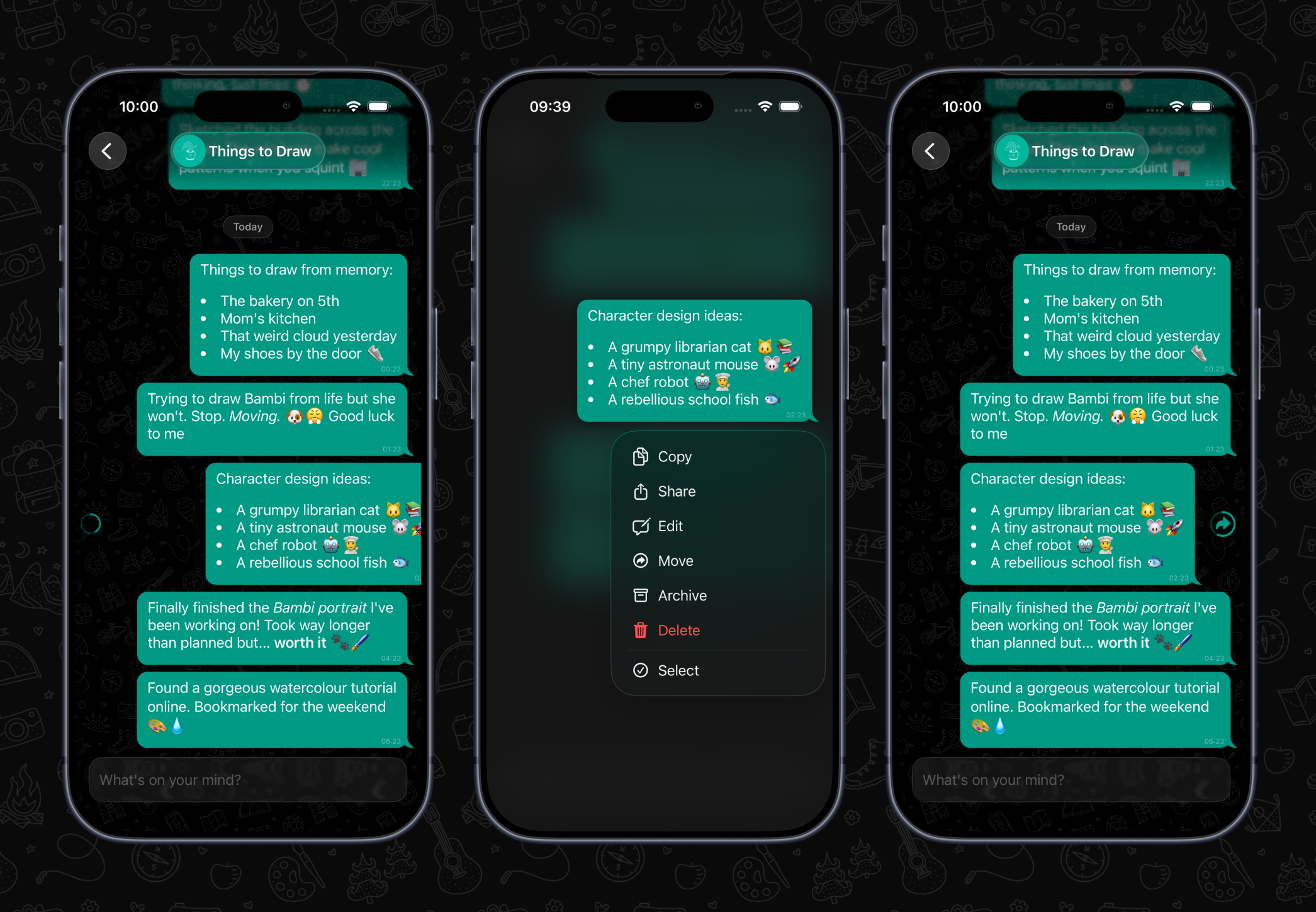
You can long press a message to open quick actions like copy, share, edit, move, archive, delete, or select. Swipe gestures also help with faster workflows, including selecting a message or moving it to another chat.
The goal is to make common actions feel natural once you discover them, without cluttering the chat itself.
Swipe right or left and long-press for quick actions
✏️ Room to Write
Some thoughts are short. Some are not.
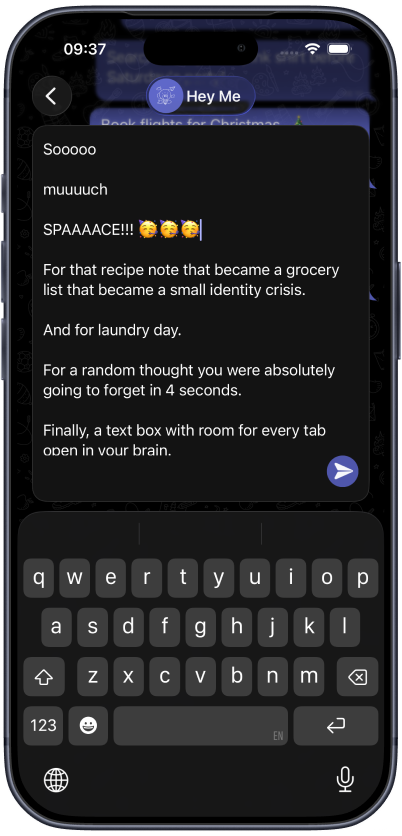
The text box can now expand when you need more space, making longer notes easier to write before sending them into a chat. Just swipe up in the text box to expand, and swipe back down again to restore it to it’s original size. It still works well for quick one-line captures, but now gives you breathing room when an idea needs a little more shape.
This is handy for longer reminders, lists, drafts, plans, or anything that starts as “just a quick note” and then becomes three paragraphs.
More space to write
💡 Helpful Tips
Hey Me now includes more in-app tips to help reveal useful shortcuts at the right time.
These tips point out things like chat options, message actions, swipe gestures, and settings after you have spent a little time in the app. They are there to make the app easier to learn without turning the interface into a manual.
Tips surfacing lesser known features
💕 Smaller but Impactful Updates
A few quieter changes in this release should make Hey Me feel clearer, faster, and easier to trust in day-to-day use.
🔈 Sounds: Optional sounds now play for actions like sending, moving, and deleting messages. Sounds can be turned off in Settings if it is not your vibe 😊.
🔔 In-app notifications: Confirmation messages now appear after key actions, so it is clearer when something has been copied, shared, moved, archived, or deleted.
💬 Feedback and requests: Settings now includes a direct link for sending feedback and feature requests. We’d love to hear from you 🫶!
🥇 New chats first: Newly created chats now appear at the top of the list, making them easier to find right away.
🔗 Better link previews: Link previews render more reliably, with improved handling for titles, descriptions, images, and icons.
❌ Delete messages directly: Messages and Chats can now be permanently deleted from the action menu’s, without archiving them first.
We’re working hard to make Hey Me a first-class chat experience, and the go-to place for quickly capturing the notes, links, reminders, and ideas you do not want to lose. Keep an eye out for more updates soon, and be sure to vote for your favorite upcoming features on the roadmap.